Choose your layout and inspect the preview
Two workflows, two publishing orders
Profile grid: choose layout → download ZIP → extract → post 01 first (bottom right), then follow file numbers as separate posts.
Carousel: choose slides → check joins → download ZIP → extract → add slide 01 onward to one post.
On mobile, extract the ZIP in Files before saving or sharing the individual images. Device-specific publishing screenshots remain pending real-device validation.
Open Instagram Grid Maker → · Open Carousel Splitter →First, choose the result you want
Choose a profile grid if the full picture should appear across several separate posts on your profile. Choose a carousel if viewers should swipe through the pieces inside one post. The tools use different file orders, so make this choice before preparing your image.
Prepare the image
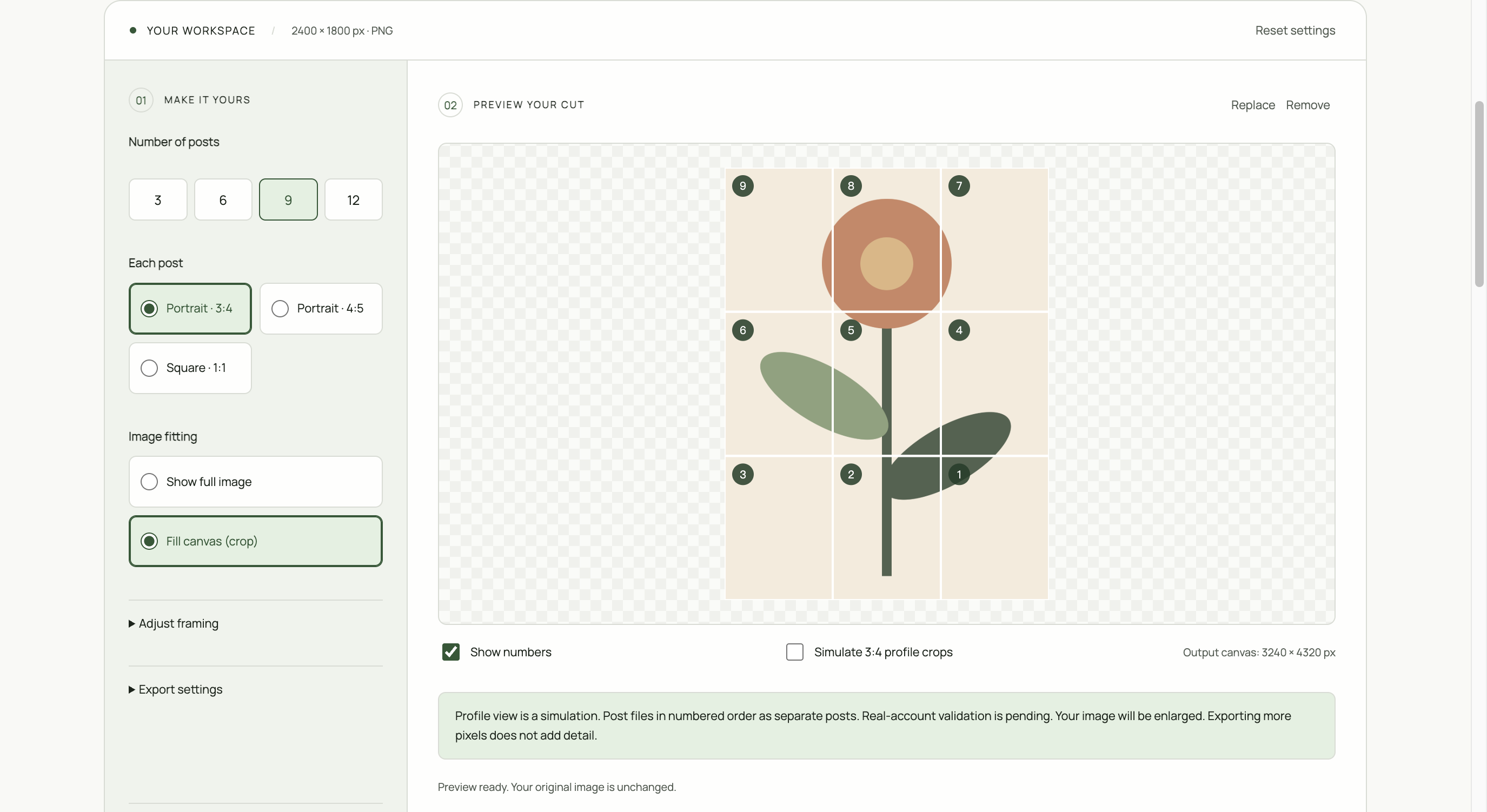
Use a high-resolution static JPG, PNG, or WebP. Keep text and faces away from intended seams. In the tool, select a layout, choose Show full image to keep the edges or Fill canvas to crop, and inspect the preview.
For a profile grid
Open Instagram Grid Maker and choose 3, 6, 9, or 12 posts. Download the ZIP, extract it, and post the numbered images as separate posts starting with post_01. Under the usual newest-first layout, this is the bottom-right piece. Pinned and reordered posts can interrupt the picture.
For a seamless carousel
Open Carousel Splitter, choose your slide count and ratio, then inspect the swipe preview. Extract the ZIP and select slide_01 onward for one multi-image post. Do not reverse the order.
On a phone
Open the downloaded ZIP in your Files app and extract it. Save or share individual images using your device’s available actions. The website cannot silently place images in your photo library.
If the result looks wrong
Check whether you selected the correct task, kept all slides at one ratio, and followed the right order. Refreshing or changing tool pages clears the selected image. Device-specific publishing validation is still in progress. Test a small layout on your account before publishing a complete set.